 RuyiSDK Board Docs
第5章:动作通信(Actions)
课程:ROS 2 C++17 编程 章节:第5章 课时:2 课时(90 分钟) 教学方式:讲授 + 演示
连接和双端分工见公共环境,完整建包与运行步骤见第五章实验。基础洗碗接口与核心例程接口不同,分别使用独立接口包。
5.1 动作通信架构
知识点 5.1.1:动作 vs 话题 vs 服务
| 特性 | 话题 (Topic) | 服务 (Service) | 动作 (Action) |
|---|---|---|---|
| 通信模式 | 异步多对多 | 同步一对一 | 异步+长期任务 |
| 时长 | 持续 | 短时 | 长时间(秒~分钟) |
| 反馈 | 无 | 无 | 有(进度反馈) |
| 取消 | 不支持 | 不支持 | 支持取消和抢占 |
知识点 5.1.2:动作通信时序图
Action Client                              Action Server
     │                                          │
     │ ──── Goal Request ◄── /send_goal ────   │
     │ ◄── Goal Accepted ◄── 服务 ──────────    │
     │                                          │ (开始执行)
     │ ◄── Feedback →→ /feedback 话题 →→─     │
     │ ◄── Feedback →→     ...       →→─     │
     │                                          │
     │ ──── Cancel Request  服务 ─────────►    │
     │ ◄── Cancel Done ◄── 服务 ───────────    │
     │                                          │
     │ ◄── Final Result ◄── 服务 ──────────    │
图 5-1:动作通信时序图。动作结合了话题(Feedback 流)和服务(Goal/Result/Cancel)的优势。
5.2 动作接口定义
知识点 5.2.1:.action 文件结构
uint32 total_dishes
---
uint32 cleaned_dishes
bool success
---
float32 progress
uint32 current_dish
两条
---分隔线分别定义:Goal(目标)、Result(结果)、Feedback(反馈)。
知识点 5.2.2:Action Server C++ API
#include <chrono>
#include <csignal>
#include <memory>
#include <thread>
#include "rclcpp/rclcpp.hpp"
#include "rclcpp_action/rclcpp_action.hpp"
#include "action_demo_lab_interfaces/action/do_dishes.hpp"

using namespace std::chrono_literals;
namespace {
volatile std::sig_atomic_t stop_requested = 0;
void request_stop(int) {stop_requested = 1;}
}

class DishesServer : public rclcpp::Node
{
public:
  using Action = action_demo_lab_interfaces::action::DoDishes;
  using Handle = rclcpp_action::ServerGoalHandle<Action>;
  DishesServer() : Node("do_dishes_server")
  {
    server_ = rclcpp_action::create_server<Action>(this, "do_dishes",
      [this](const rclcpp_action::GoalUUID &, std::shared_ptr<const Action::Goal> goal) {
        if (busy_ || goal->total_dishes == 0) {
          RCLCPP_WARN(get_logger(), "拒绝目标:已有任务或盘子数量为零");
          return rclcpp_action::GoalResponse::REJECT;
        }
        busy_ = true;
        return rclcpp_action::GoalResponse::ACCEPT_AND_EXECUTE;
      },
      [this](const std::shared_ptr<Handle>) {
        RCLCPP_INFO(get_logger(), "收到取消请求");
        return rclcpp_action::CancelResponse::ACCEPT;
      },
      [this](const std::shared_ptr<Handle> handle) {
        goal_ = handle;
        cleaned_ = 0;
        next_ = std::chrono::steady_clock::now() + 1s;
        RCLCPP_INFO(get_logger(), "接受目标:%u", goal_->get_goal()->total_dishes);
      });
    timer_ = create_wall_timer(100ms, [this]() {tick();});
  }

  void stop()
  {
    timer_->cancel();
    if (goal_) {finish(false);}
  }

private:
  void finish(bool success)
  {
    auto result = std::make_shared<Action::Result>();
    result->cleaned_dishes = cleaned_;
    result->success = success && !goal_->is_canceling();
    if (goal_->is_canceling()) {goal_->canceled(result);}
    else if (success) {goal_->succeed(result);}
    else {goal_->abort(result);}
    RCLCPP_INFO(get_logger(), "任务结束:cleaned=%u success=%s", cleaned_, success ? "true" : "false");
    goal_.reset();
    busy_ = false;
  }

  void tick()
  {
    if (!goal_) {return;}
    if (stop_requested || goal_->is_canceling()) {finish(false); return;}
    if (std::chrono::steady_clock::now() < next_) {return;}
    if (cleaned_ == goal_->get_goal()->total_dishes) {finish(true); return;}
    ++cleaned_;
    auto feedback = std::make_shared<Action::Feedback>();
    feedback->progress = static_cast<float>(cleaned_) / goal_->get_goal()->total_dishes;
    feedback->current_dish = cleaned_;
    goal_->publish_feedback(feedback);
    RCLCPP_INFO(get_logger(), "进度: %.0f%%", feedback->progress * 100.0);
    next_ += 1s;
    if (cleaned_ == goal_->get_goal()->total_dishes) {finish(!goal_->is_canceling());}
  }

  rclcpp_action::Server<Action>::SharedPtr server_;
  rclcpp::TimerBase::SharedPtr timer_;
  std::shared_ptr<Handle> goal_;
  bool busy_{false};
  uint32_t cleaned_{0};
  std::chrono::steady_clock::time_point next_;
};

int main(int argc, char ** argv)
{
  rclcpp::init(argc, argv, rclcpp::InitOptions(), rclcpp::SignalHandlerOptions::None);
  std::signal(SIGINT, request_stop);
  std::signal(SIGTERM, request_stop);
  auto node = std::make_shared<DishesServer>();
  rclcpp::executors::SingleThreadedExecutor executor;
  executor.add_node(node);
  while (!stop_requested && rclcpp::ok()) {executor.spin_once(100ms);}
  node->stop();
  std::this_thread::sleep_for(100ms);
  rclcpp::shutdown();
  return 0;
}
程序 5-1:C++ Action Server 完整示例。目标与取消回调处理请求,定时器每 0.1 秒推进任务,每盘耗时 1 秒;不会阻塞执行器的取消处理。结果在成功、取消和中止三种终态中选择,最后一盘完成前也检查取消。
知识点 5.2.3:Action Client C++ API
#include <chrono>
#include <cstdint>
#include <iostream>
#include <limits>
#include <memory>
#include <string>
#include "rclcpp/rclcpp.hpp"
#include "rclcpp_action/rclcpp_action.hpp"
#include "action_demo_lab_interfaces/action/do_dishes.hpp"

using namespace std::chrono_literals;
using Action = action_demo_lab_interfaces::action::DoDishes;
int main(int argc, char ** argv)
{
  uint32_t total = 10;
  try {
    const auto args = rclcpp::remove_ros_arguments(argc, argv);
    if (args.size() > 2) {throw std::invalid_argument("参数过多");}
    if (args.size() == 2) {
      size_t used = 0;
      const auto value = std::stoull(args[1], &used);
      if (args[1].empty() || args[1][0] == '-' || used != args[1].size() ||
        value == 0 || value > std::numeric_limits<uint32_t>::max())
      {throw std::invalid_argument("盘子数量必须为正 uint32 整数");}
      total = static_cast<uint32_t>(value);
    }
  } catch (const std::exception & error) {std::cerr << error.what() << '\n'; return 2;}
  rclcpp::init(argc, argv);
  auto node = std::make_shared<rclcpp::Node>("do_dishes_client");
  auto client = rclcpp_action::create_client<Action>(node, "do_dishes");
  int exit_code = 1;
  if (client->wait_for_action_server(10s)) {
    Action::Goal goal;
    goal.total_dishes = total;
    rclcpp_action::Client<Action>::SendGoalOptions options;
    options.feedback_callback = [node](auto, const auto feedback) {
      RCLCPP_INFO(node->get_logger(), "收到反馈:进度=%.0f%%,当前盘子=%u", feedback->progress * 100.0, feedback->current_dish);
    };
    auto sent = client->async_send_goal(goal, options);
    if (rclcpp::spin_until_future_complete(node, sent, 10s) == rclcpp::FutureReturnCode::SUCCESS) {
      auto handle = sent.get();
      if (!handle) {RCLCPP_WARN(node->get_logger(), "目标被 Server 拒绝");}
      else {
        RCLCPP_INFO(node->get_logger(), "目标已接受");
        rclcpp::TimerBase::SharedPtr cancel_timer;

        auto result = client->async_get_result(handle);
        if (rclcpp::spin_until_future_complete(node, result) == rclcpp::FutureReturnCode::SUCCESS) {
          const auto response = result.get();
          RCLCPP_INFO(node->get_logger(), "最终状态码=%d,已清洗=%u,成功=%s",
            static_cast<int>(response.code), response.result->cleaned_dishes, response.result->success ? "true" : "false");
          exit_code = response.code == rclcpp_action::ResultCode::SUCCEEDED ? 0 : 1;
        }
        if (cancel_timer) {cancel_timer->cancel();}
      }
    }
  } else {RCLCPP_ERROR(node->get_logger(), "没有找到 Action Server");}
  rclcpp::shutdown();
  return exit_code;
}
程序 5-2:C++ Action Client 完整示例。async_send_goal 发送目标,反馈回调读取进度,async_get_result 获取最终状态。需要取消时对已接受的 handle 调用 async_cancel_goal(handle);第五章实验中的扩展客户端演示了定时取消。
知识点 5.2.4:官方要点——动作模型与命令行工具
官方 Understanding ROS 2 actions 教程指出:动作(Action)是面向「长时间运行、可反馈、可取消」任务的通信模式,由目标(Goal)、反馈(Feedback)、结果(Result)三部分组成,底层实现为「三个服务(发送目标、获取结果、取消目标)+ 两个话题(反馈、状态)」。教程要求掌握的动作命令与本章 5.2 节一致:ros2 action list -t、ros2 action info、ros2 action send_goal。其中 send_goal 加 --feedback 参数可在命令行实时打印反馈,如斐波那契示例 ros2 action send_goal /fibonacci action_tutorials/action/Fibonacci "{order: 5}" --feedback。
Articulated Robotics 用「点外卖并要求送货跟踪」作比喻:下单是发送目标,外卖 App 的进度推送是反馈,餐到是结果;中途取消订单对应动作的取消机制。这个比喻有助于区分服务(问一次答一次)与动作(任务全程有往返)。
知识点 5.2.5:官方要点——编写动作服务器与客户端
C++ 中使用 rclcpp_action::create_server 注册目标、取消和接受回调。目标回调返回 GoalResponse,取消回调返回 CancelResponse;执行过程创建 Result 后调用 succeed()、canceled() 或 abort()。客户端使用 create_client、wait_for_action_server()、async_send_goal()、async_get_result() 驱动请求与结果处理。
执行任务时应持续处理取消请求。单线程执行器中的长时间阻塞会使取消回调无法及时运行;本例用短周期定时器推进任务,扩展例程在五秒时发送取消并检查最终 CANCELED 状态。
知识点 5.2.6:官方要点——自定义动作接口
Creating an action 教程演示了 .action 文件的定义:三段式结构 # Goal\n---\n# Result\n---\n# Feedback,各段间以 --- 分隔,例如 uint32 order\n---\nint32[] sequence\n---\nint32[] partial_sequence。这与本章 5.2.1 节的 .action 文件定义完全一致。接口包需在 package.xml 中声明 rosidl_default_generators,编译后即可用 ros2 interface show action_tutorials/action/Fibonacci 验证。
一个易错点:.action 文件必须放在接口包的 action/ 目录下,且包类型须为纯接口包(package.xml 中 rosidl_default_generators + rosidl_default_runtime + member_of_group 三件套),否则编译期报「未找到 action 生成器」。The Construct 的课程建议把 .msg、.srv、.action 统一放在一个 interfaces 包中管理,便于跨项目复用。
5.3 取消与抢占机制
知识点 5.3.1:取消流程
Client 发送取消 ──► Server 定时器中检测 is_canceling()
                        ├── True  → goal_handle->canceled(result) → return
                        └── False → 继续执行
知识点 5.3.2:抢占机制
// 目标回调中:忙碌时拒绝新目标,原目标继续执行。
if (busy_) {return rclcpp_action::GoalResponse::REJECT;}
busy_ = true;
return rclcpp_action::GoalResponse::ACCEPT_AND_EXECUTE;
知识点 5.3.3:官方要点——反馈、取消与抢占的工程实践
在真实机器人上,动作的典型应用是导航(Nav2 的 navigate_to_pose)、机械臂运动(MoveIt 2 的执行接口)与 SLAM 建图(slam_toolbox 的异步建图)。这些系统共同体现了三个工程准则:其一,反馈频率要适中(一般 1–10 Hz),过低客户端无进度感,过高则挤占通信带宽;其二,抢占语义必须明确——新目标到来时旧目标是中止还是排队,要在文档中写清楚,本章采用的「忙碌时拒绝新目标」与 Nav2 的抢占策略不同;其三,客户端要处理全部三种终态(SUCCEEDED、CANCELED、ABORTED),官方教程的 get_result_callback 正是这样写的。
建议读者将本章练习 5.4 的新目标处理测试与 Nav2 源码(nav2_simple_commander)对照阅读,体会同一套动作机制在工业级系统中的封装方式。
5.4 本章小结
动作通信可以概括为五个要点:动作通信 = 服务(Goal/Result/Cancel)+ 话题(Feedback),适用于长时间任务;.action 文件分 Goal / Result / Feedback 三部分;C++ Server 通过目标、取消回调和定时器处理任务;C++ Client 通过 async_send_goal 发送目标,feedback_callback 接收进度;支持取消(async_cancel_goal)和抢占(GoalResponse.REJECT)。
5.5 练习题
练习 5.1:基于 action_demo_lab_interfaces/action/DoDishes 编写完整的 Action Server 和 Client。
练习 5.2:设计自定义 Action Tracking.action(Goal:目标ID, speed; Result:成功与否; Feedback:当前位置、距离)。
练习 5.3:在 Client 中实现中途取消:发送目标后等待 3 秒,然后发送取消请求。
练习 5.4:测试抢占行为:Server 执行中收到新目标时的处理策略。
练习 5.5:使用 ros2 action 命令行工具查看动作列表、发送目标和获取结果。
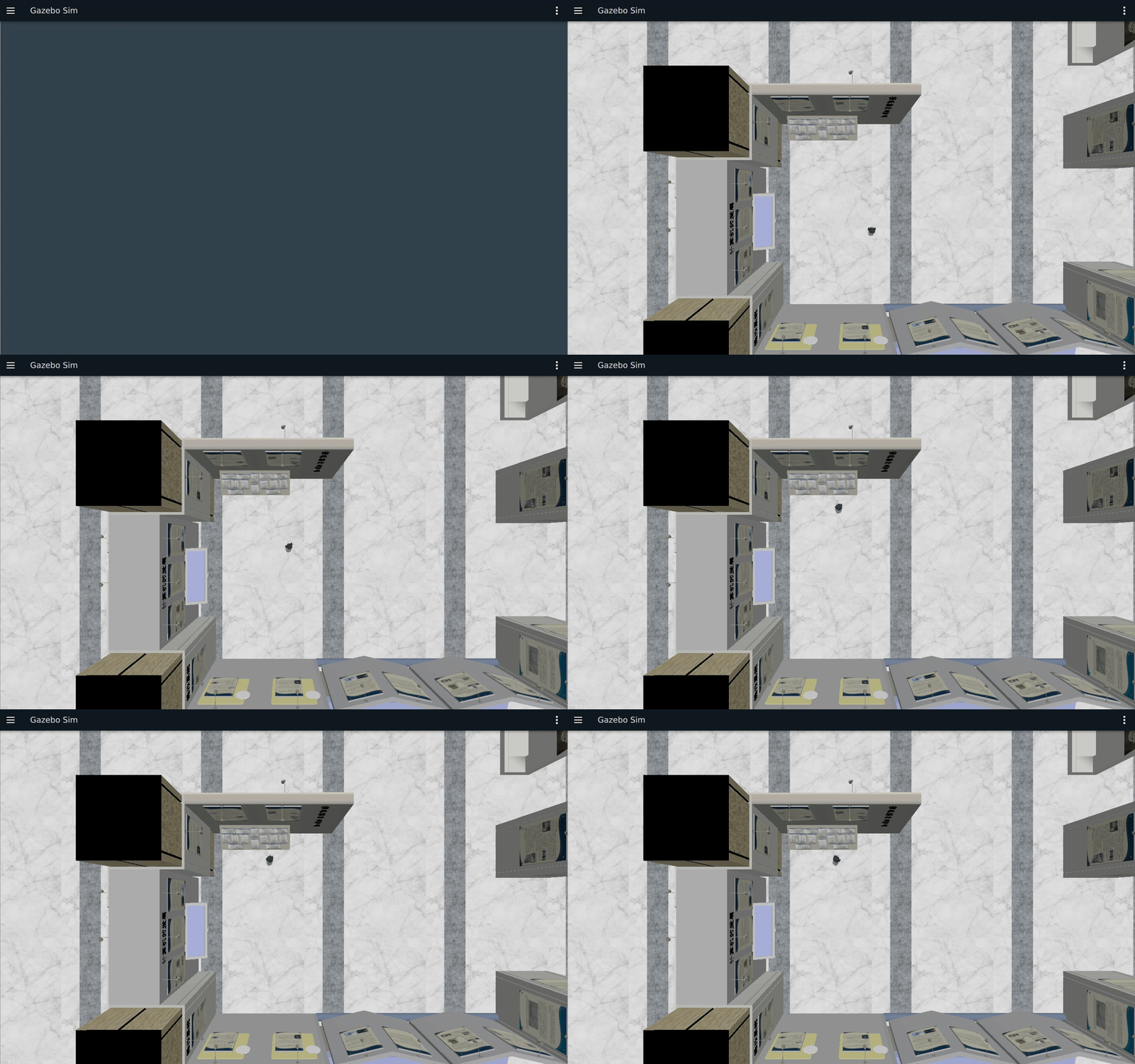
仿真结合实例(当前仓库):用 Action 编排一次巡检任务
目标与知识点对应
动作适合持续时间较长、需要反馈和最终结果的任务。本实例启动移动机器人仿真作为任务背景,同时运行 DoDishes Action Server/Client,观察目标接受、百分比反馈和最终结果,理解 Action 与 Gazebo 传感器 Topic 的分工。
运行步骤
按第五章实验的双端启动步骤在 x86 启动 Gazebo,然后在 COM260 分别运行:
source ~/.config/ros2-course-com260/env.bash
ros2 run action_demo_cpp dishes_server
source ~/.config/ros2-course-com260/env.bash
ros2 run action_demo_cpp dishes_client
ros2 action list
ros2 action info /dishes观察结果
客户端收到 20% 到 100% 的五次反馈,并得到总数 10;Gazebo 同时提供 /odom、/scan。洗碗动作不驱动底盘。基础实验 /do_dishes 的目标字段是 total_dishes、反馈为 0~1 的进度;不要与核心 /dishes 的 dishwasher_id、0~100 百分比接口混用。
源码与边界
核心 C++ 节点位于 src_k3_com260_kit/action_demo_cpp/,接口位于 action_demo_interfaces/;基础教学版本为 action_demo_lab_cpp/ 与 action_demo_lab_interfaces/,取消与拒绝新目标的扩展为 dishes_action_lab/。导航练习由独立 C++ Tracking 与位姿导航节点订阅 /odom、发布 /cmd_vel 完成,结果以真实反馈为准。

学习材料:
- ROS 2 Documentation (Humble) —— Understanding ROS 2 actions:https://docs.ros.org/en/humble/Tutorials/Beginner-CLI-Tools/Understanding-ROS2-Actions.html
- ROS 2 Documentation (Humble) —— Writing an action server and client (C++):https://docs.ros.org/en/humble/Tutorials/Intermediate/Writing-an-Action-Server-Client/Cpp.html
- ROS 2 Documentation (Humble) —— Creating an action:https://docs.ros.org/en/humble/Tutorials/Intermediate/Creating-an-Action.html
- The Construct —— ROS 2 Basics in 5 Days:https://www.theconstructsim.com/
- Articulated Robotics —— ROS 2 Basics 系列视频:https://www.youtube.com/@ArticulatedRobotics